What Is Stable Diffusion?
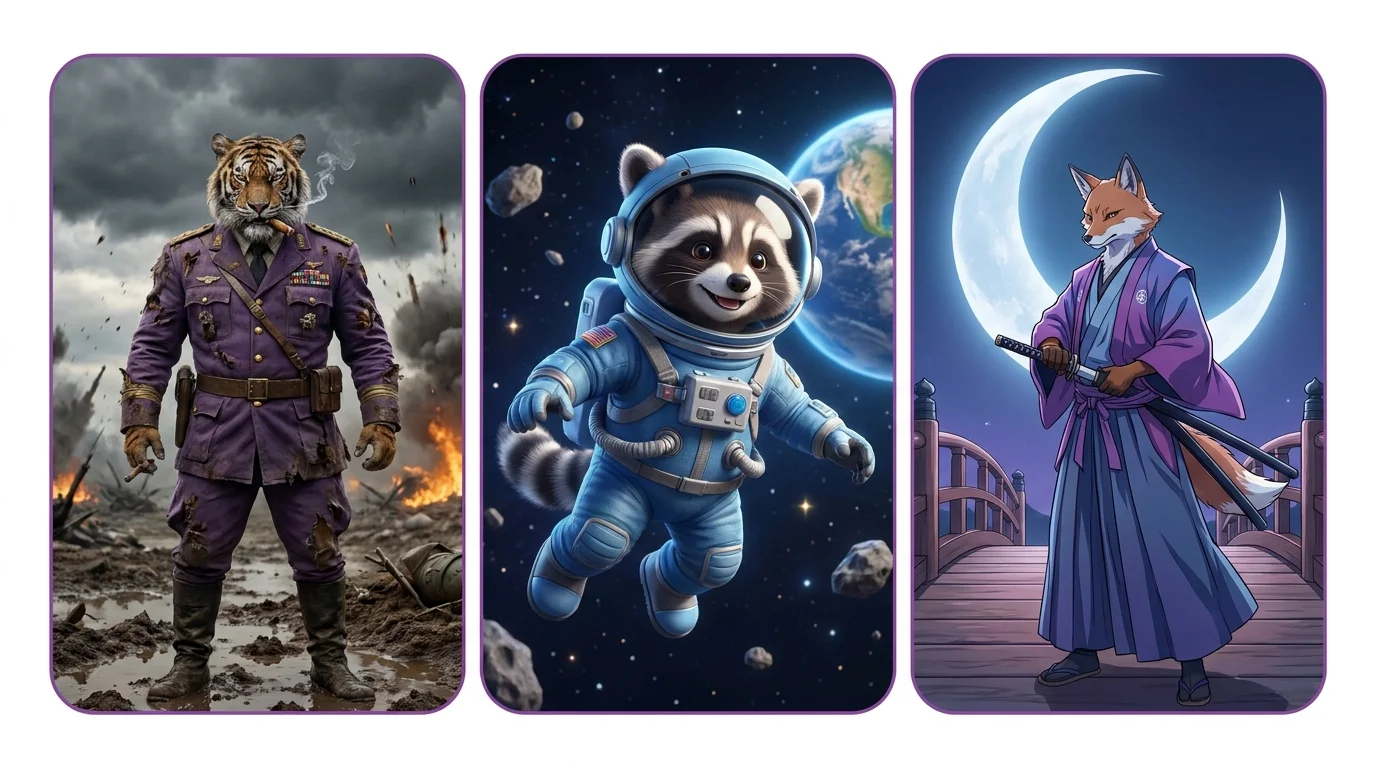
Stable Diffusion is a free, open-source AI image generator that runs on your own computer. Unlike Midjourney or DALL-E, there are no subscriptions, no generation limits, and no content restrictions. You have complete control over every aspect of the generation process - models, settings, extensions, and workflows.
Open Source vs Cloud
Running locally is free but requires a GPU with 8GB+ VRAM (NVIDIA recommended). Cloud options like RunPod ($0.20-0.50/hour GPU rental), Replicate ($0.01-0.05/generation), and Google Colab (free tier available) let you use Stable Diffusion without local hardware.
SD 1.5 vs SDXL vs SD3 vs Flux
| Version | Resolution | VRAM | Quality | Best For |
|---|---|---|---|---|
| SD 1.5 | 512x512 | 4GB+ | Good | Largest model ecosystem |
| SDXL | 1024x1024 | 8GB+ | Very good | Best balance of quality and speed |
| SD3 | 1024x1024 | 10GB+ | Excellent | Text rendering, coherence |
| Flux | 1024x1024+ | 12GB+ | Best | Prompt accuracy, text in images |
Running Stable Diffusion
ComfyUI
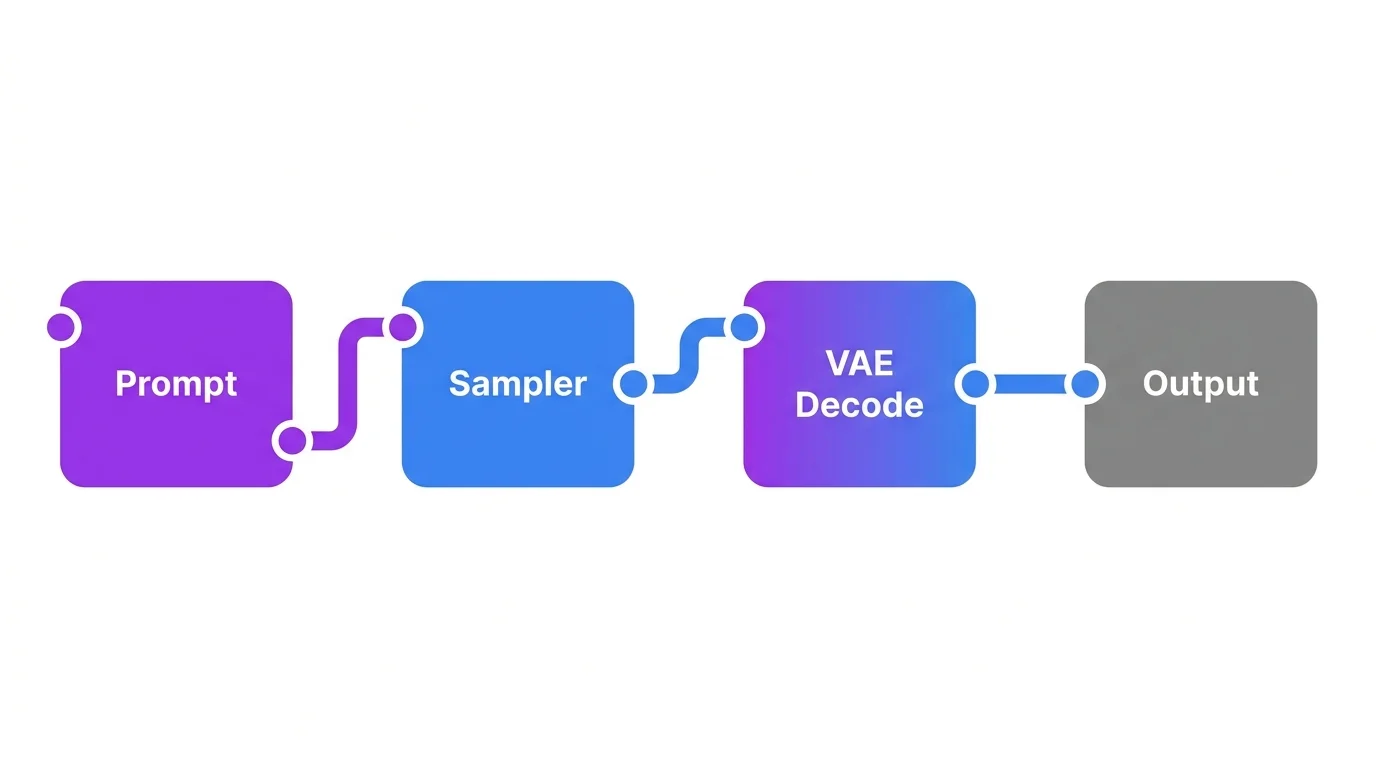
The modern standard for Stable Diffusion. ComfyUI uses a node-based visual workflow where you connect processing blocks together. It is faster than alternatives, supports every new feature first, and gives you complete control over the generation pipeline. The learning curve is steeper than Automatic1111 but worth it.
Automatic1111
The original web interface for Stable Diffusion. Simpler to use with a traditional form-based UI. Still functional but being gradually replaced by ComfyUI in the community. Good for beginners who want a simpler starting point.
Cloud Options
No GPU? Use cloud services: RunPod (rent a GPU by the hour), Google Colab (free tier with limitations), Replicate (pay per generation API), or services like Civitai's built-in generation.
Prompt Syntax
Basic Structure
Stable Diffusion prompts are comma-separated keyword lists. Order matters - earlier keywords have more influence:
Weighted Keywords
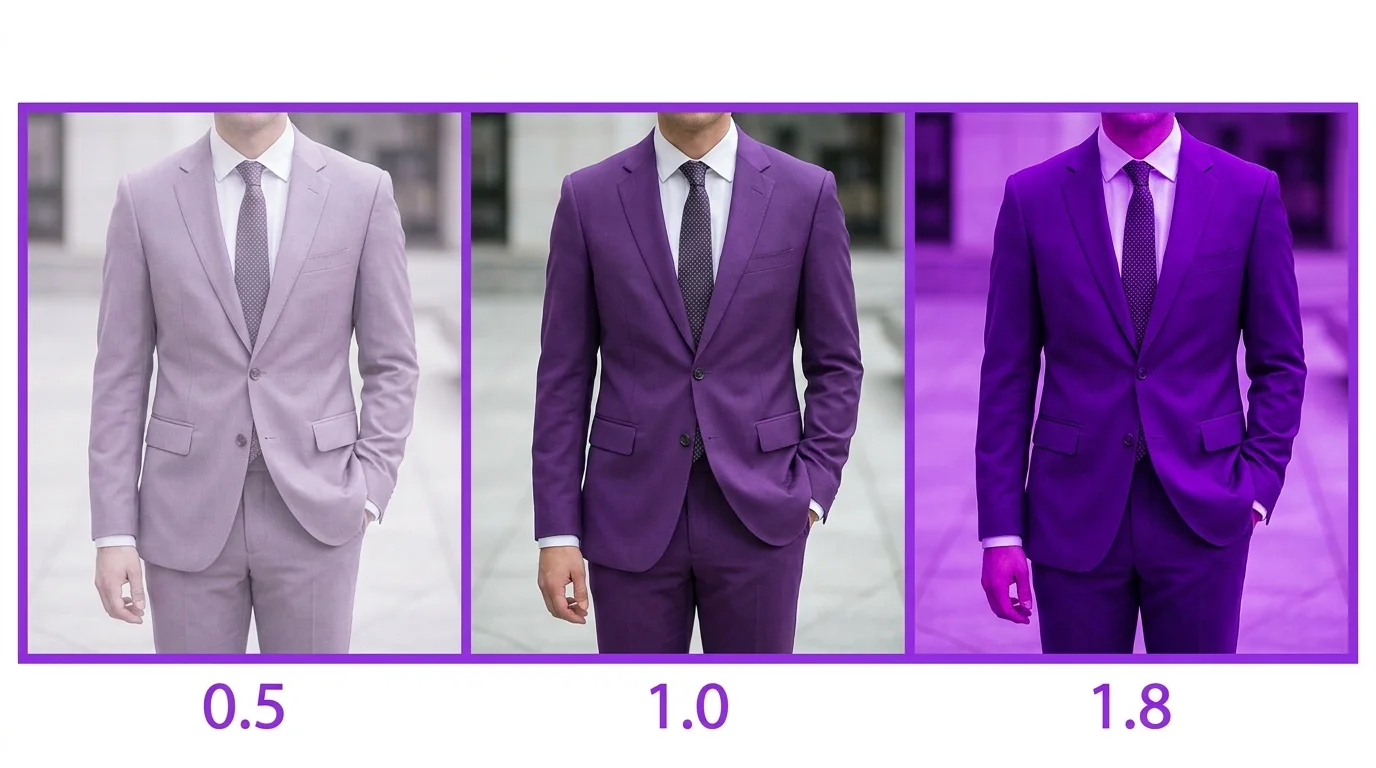
Control emphasis with parentheses. (keyword:1.5) increases weight, (keyword:0.5) decreases it:
(golden lighting:1.5)- 1.5x emphasis on golden lighting(red hair:1.3), (blue eyes:1.2)- stronger emphasis on specific features[keyword]- square brackets decrease weight (alternative syntax)
BREAK Keyword
Use BREAK to separate prompt sections into different processing chunks. This prevents concepts from bleeding into each other: beautiful landscape BREAK woman standing in foreground.
Negative Prompts
Stable Diffusion has a dedicated negative prompt field. Always use it:
Models and Checkpoints
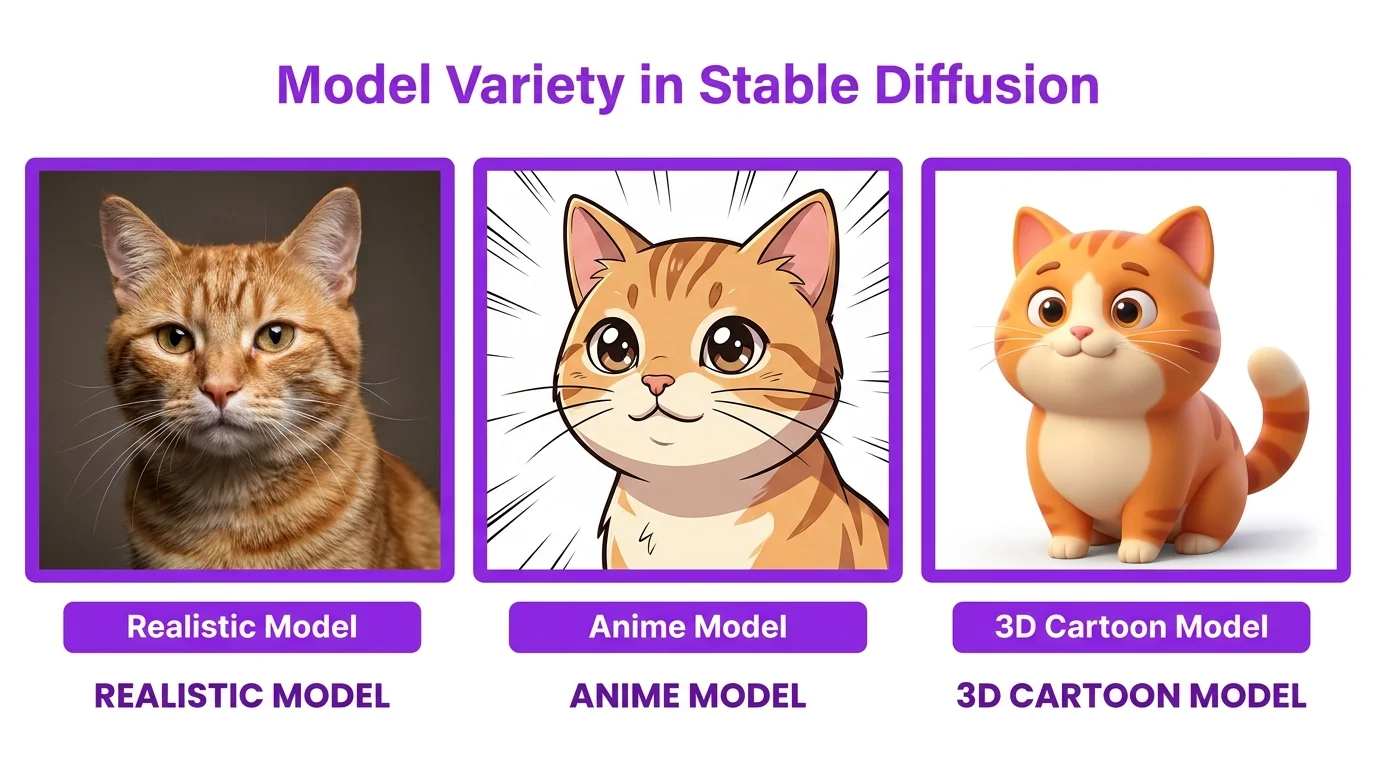
Checkpoints are the core models that determine the base style. Download from Civitai or Hugging Face:
Realistic
Popular realistic checkpoints: RealVisXL, Juggernaut XL, epiCRealism. These produce photographic results with natural skin, accurate lighting, and realistic environments.
Anime
Popular anime checkpoints: Anything V5, Counterfeit XL, AnimagineXL. Optimized for anime and manga art styles with clean line work and vibrant colors.
3D and Cartoon
DreamShaper XL, Disney Pixar style models. Good for 3D renders, character design, and illustrated styles.
Advanced Techniques
LoRA
Small add-on models (50-200MB) that teach the base model new concepts. Train a LoRA on 10-20 images of a specific character, style, or object. Load it alongside your checkpoint with a trigger word. Essential for character consistency in ongoing projects.
ControlNet
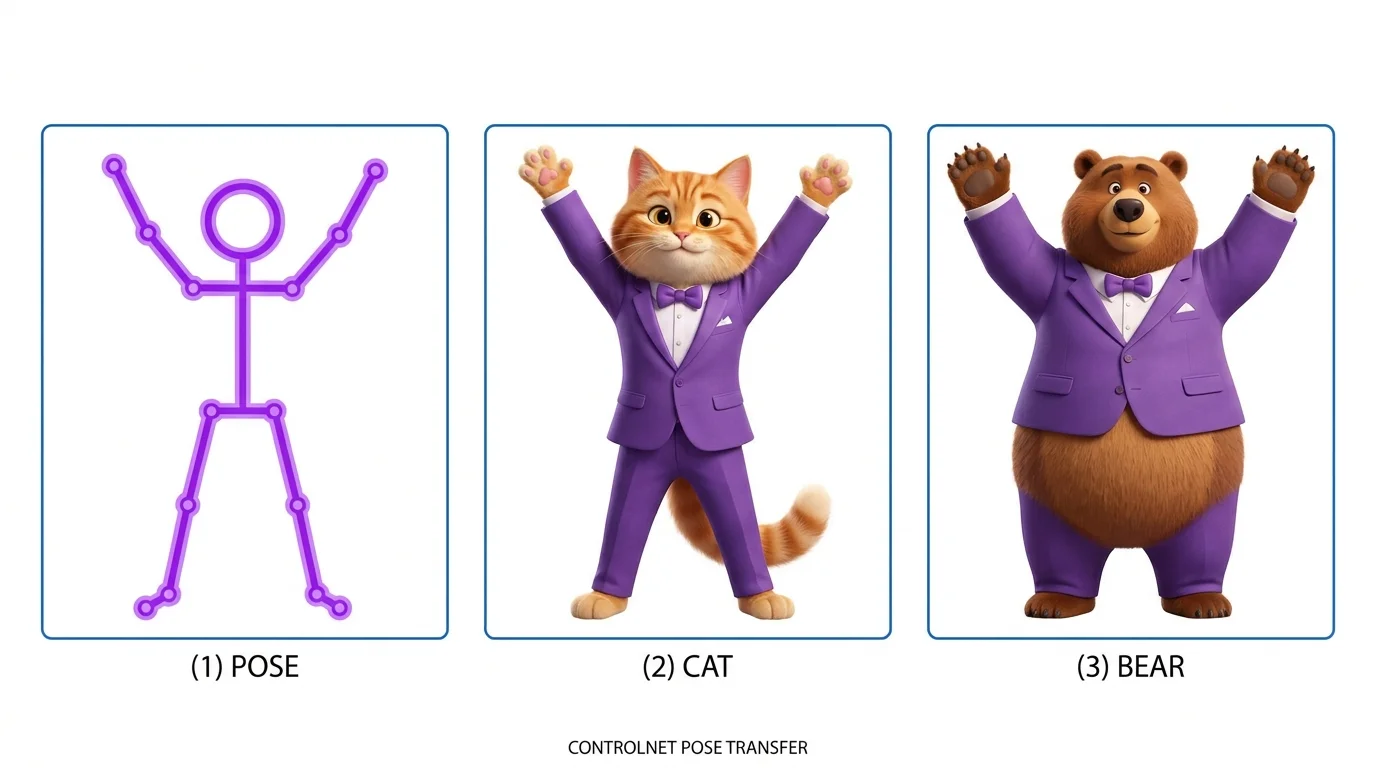
Spatial control over generations:
- Pose: Upload a skeleton/stick figure - AI generates a character in that exact pose
- Depth: Upload a depth map - AI matches the spatial layout
- Canny/Edge: Upload an outline - AI fills in details while following the edge structure
- Scribble: Rough sketch becomes a detailed image
IP-Adapter
Feed a reference image that influences the generation without training. Unlike LoRA (which requires training), IP-Adapter works instantly. Upload a face reference and it transfers facial features to new generations. Combined with ControlNet for pose, this gives you both character consistency and spatial control.
Inpainting and Img2Img
Img2Img takes an existing image and transforms it based on your prompt. Inpainting lets you mask specific regions for regeneration. Both are essential for fixing imperfections and iterating on results.
Best Settings for Quality
| Setting | What It Does | Recommended |
|---|---|---|
| CFG Scale | Prompt adherence (1-30) | 7-9 for most use cases |
| Steps | Refinement passes | 25-35 (diminishing returns past 40) |
| Sampler | Algorithm for generation | DPM++ 2M Karras or Euler a |
| Resolution | Output size | 1024x1024 for SDXL, 512x512 for SD1.5 |
| Seed | Reproducibility | -1 (random) or lock for variations |
10 Free Stable Diffusion Prompts